
Organize keyword records with lists and tags
Keep workspace boundaries clear before organizing keywords into lists that several people will use.
One term, one workspace record
Lists define named scope
Tags describe across scopes
A keyword is a normalized workspace record
Each row represents a search term inside one workspace. Crawl Foundry can preserve a readable display form while using normalized wording for matching and duplicate checks. This prevents casing and minor input differences from filling the inventory with records that describe the same query.
Normalization does not make two different search tasks identical. Review language, market, punctuation, brand meaning, and source before merging or excluding a row. A term that looks duplicated across countries can belong to a different result environment.
- Enter a search query, not a complete article title or internal note.
- Keep one term per line during manual add or import.
- Preserve the source when the term came from a customer, export, research run, or campaign.
- Treat imported metrics as imported context until their definition and date are understood.
- Do not interpret an absent field as zero or as proof that enrichment failed.
Lists answer: which set are we working on?
A list gives a keyword set a durable name and working purpose. It may represent a campaign, topic, client shortlist, market review, refresh scope, or controlled tracking set. The name should explain why the set exists, not merely which button created it.
List membership and tags solve different problems. Membership answers whether a term belongs to this working set. Tags describe properties that may also matter in other lists.
- Campaign: DACH comparison pages for the Q3 review
- Topic: CRM integrations research set
- Tracking: approved brand and non-brand terms for Germany mobile
- Export: client shortlist awaiting a workshop
- Refresh: rows with a documented need for current SERP evidence
Use manual lists for explicit membership
A manual list changes only when someone adds or removes a record. Use it when membership itself represents a decision: a client-approved shortlist, a hand-picked tracking set, a release scope, or the exact rows discussed in a workshop.
Do not create a manual list for every temporary filter. If the definition is simply “commercial terms with current volume above a threshold,” a saved filter or smart list describes the logic more honestly and requires less maintenance.
Use smart lists when saved rules should control membership
A smart list evaluates stored keyword fields against its rules. Membership can change when the underlying data changes, so it is useful for recurring operational questions such as stale rows, missing SERP evidence, defined intent groups, ranking losses, or a market-specific review.
That movement is a feature only when users expect it. Do not use a smart list for a client-approved or historically fixed set unless the handoff explains that later refreshes can add or remove rows.
Before saving a dynamic list, check how filters and saved views differ so its membership follows the intended rules.
Use hybrid lists for rules with human exceptions
A hybrid list starts from saved rules and adds explicit inclusions or exclusions. It fits a review where the rule captures most of the set but a strategist must keep a business-critical term, exclude an irrelevant match, or preserve a documented exception.
Keep exceptions rare and explainable. If most rows require manual correction, the rule is probably too broad, the source data is not ready, or a manual list would be clearer.
Tags answer: how should this record be described?
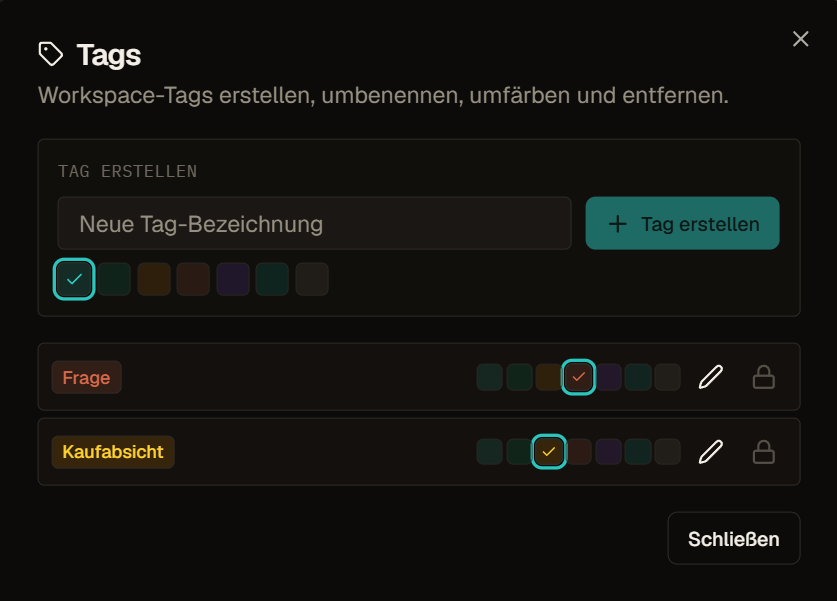
Tags are reusable workspace labels. A keyword can carry several because the same term may belong to a market, campaign, owner, review state, and data-quality concern at the same time. Adding a tag does not have to remove the term from any list.
Use a small vocabulary the team can maintain. Agree on spelling and purpose before creating near-duplicates such as `DACH`, `market-dach`, and `german-market`. A tag name should remain understandable in filters, exports, and Activity without a private legend.
- Market or locale: `market: de`
- Campaign: `campaign: product-comparison`
- Owner: `owner: seo-team`
- Review state: `needs-serp-review`
- Data need: `refresh-before-client-export`
Choose the control that matches the requirement
| Need | Use |
|---|---|
| A named set whose membership is chosen by people | Manual list |
| A named set that should follow saved rules | Smart list |
| A rule-based set with explicit exceptions | Hybrid list |
| A reusable label that can overlap | Tag |
| A saved combination of filters, sort, and columns | Preset |
| A temporary reduction of visible rows | Filter or search |
| A one-time group action on visible rows | Selection |
| A file for another person or system | Export |
Read counts within the active scope
A count can refer to the workspace, the active list, the filtered result, or the current selection. When a number changes after switching lists or applying filters, the underlying records may still exist. State the scope whenever a count is used in a report or cost estimate.
Before a bulk or paid action, confirm both visible count and selected count. A filter can reduce what is shown, while a previous selection may still require explicit review depending on the surface.
Build a working set another person can reproduce
Keep lists and tags understandable
- Rename temporary lists whose original purpose changed.
- Archive or remove abandoned structures only after checking dependencies and handoffs.
- Merge duplicate tags deliberately and preserve the meaning used in old exports where necessary.
- Review smart-list rules after metric definitions, markets, or data availability change.
- Avoid using status or owner tags as a substitute for a workflow system the team actually uses elsewhere.
Example: A tracking set and a cleanup queue
A strategist keeps the client-approved terms in a manual list, because membership itself is the decision and must not change on its own.
For maintenance she creates a smart list for rows whose data is stale, so new candidates appear automatically as data ages. Tags such as market and owner describe the same keywords in both lists without moving them.
Frequently asked questions
What is the difference between a list and a tag?
A list answers which set you are working on. A tag describes a property that can apply across many sets, such as market, owner or review state. Adding a tag never changes list membership.
When should I use a smart list instead of a manual list?
Use a smart list when saved rules should control membership, for example stale rows or a defined intent group. Use a manual list when people choose the members, such as a client-approved shortlist.
What is a hybrid list?
A hybrid list starts from saved rules and adds explicit inclusions or exclusions. It fits sets where a rule captures most terms but a strategist must keep or remove a few on purpose.